
Step 1 of 9
Choose your painted mount from the Classic Journey pack.








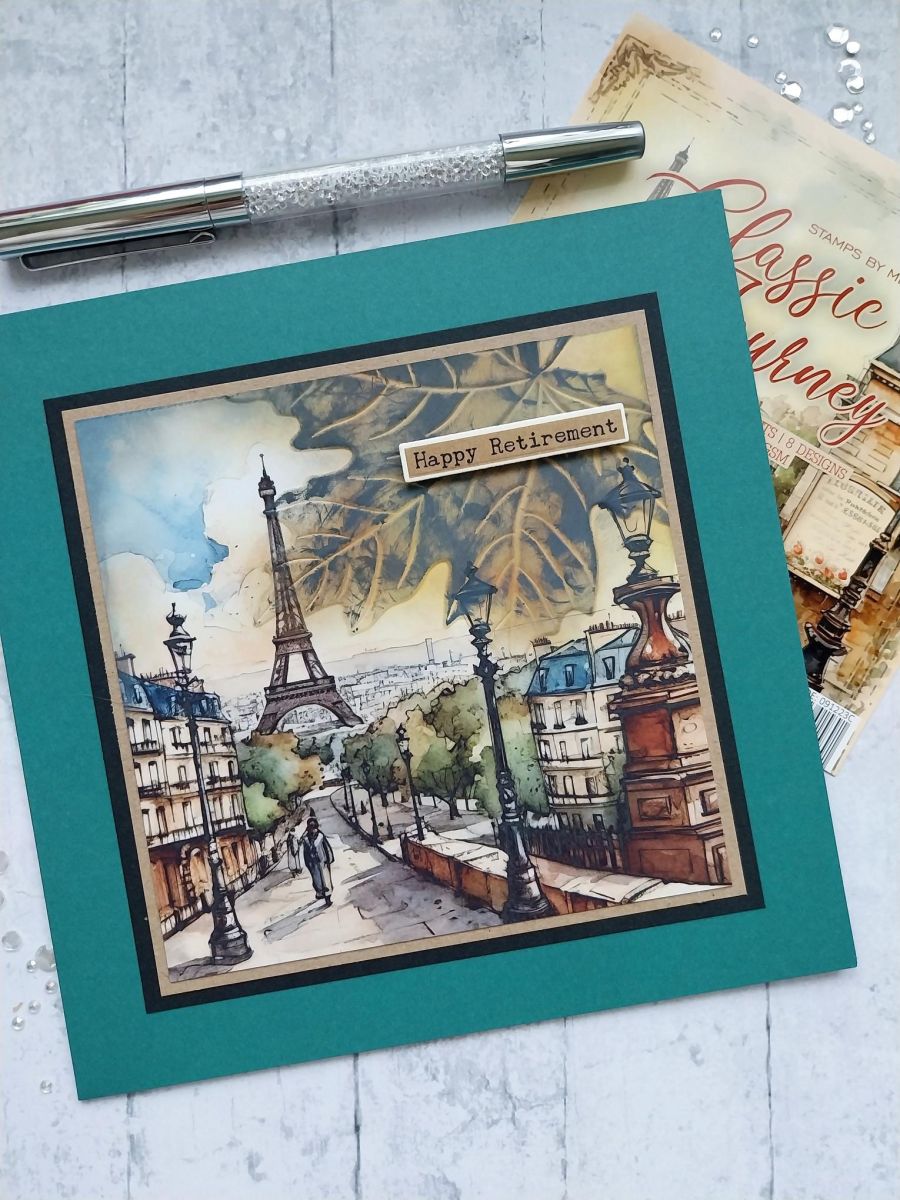
Choose your painted mount from the Classic Journey pack.
Place the Fall embossing folder so the design sits over the top right corner of the mount.
Run through your embossing machine.
Lightly blend the Fossilized Amber and Walnut Stain over the embossed area, adding layers of colour until you are happy with the effect.
Lightly swipe/pounce the Black Soot ink pad, so it hits areas of the raised image.
Using the dies as a guide, cut ONE drop from the Sepia washi roll. Lift up the backing sheet along one end of the tape and adhere across the top of an A4 sheet of white card. Slowly peel away the backing, as you use your hand to smooth the washi tape down on to the card. Once the backing has been fully removed, you can burnish the washi to ensure there are no air bubbles or creases.
Line up the second die, secure in place and run through your machine.
Once all elements are die cut, pop out the sentiments, pick out the one you are using for this project and keep the rest in a tub for future projects.
Adhere your sentiment tab with foam pads, across the top right of your card.
Share your make with the Stamps By Me community - and keep this guide for next time.
Prefer the previous layout? Open the old page.