
Step 1 of 10
Ink the debossed side of your embossing folder with your dye ink pads and spritz lightly with water.








Prices change straight away. Languages are translated by Google.
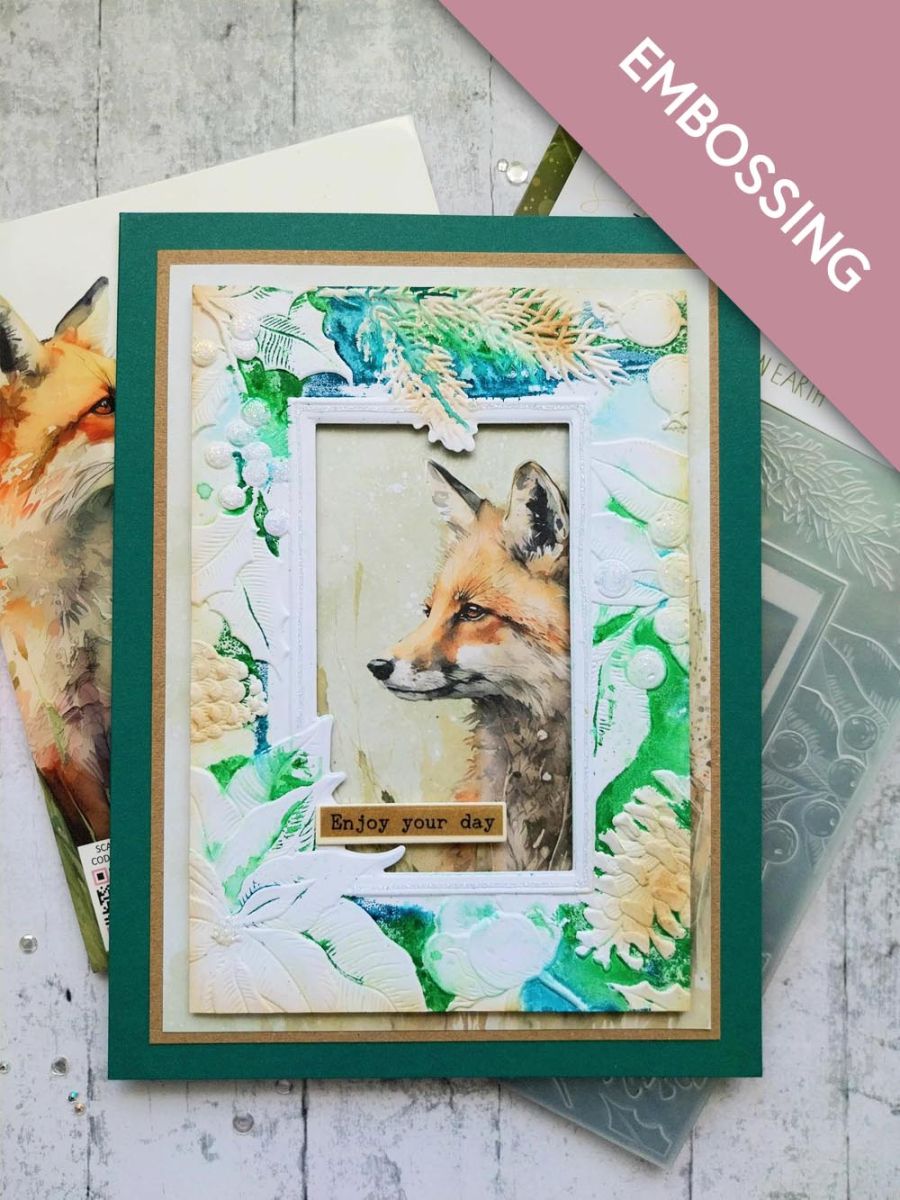
Ink the debossed side of your embossing folder with your dye ink pads and spritz lightly with water.
Trim a piece of white card to 6 1/2 x 4 1/2", place inside the inked folder and run it through your machine.
Blend lightly over the embossed pine cones with the Vintage Photo.
Adhere the embossed frame on to this decorative paper from Woodland Wildlife, so the fox is visible through the die cut aperture.
Adhere on to kraft card trimmed to 7 1/4 x 5 1/4" and then on to your teal card blank.
Using the dies as a guide, cut ONE drop from the Sepia washi roll. Lift up the backing sheet along one end of the tape and adhere across the top of an A4 sheet of white card. Slowly peel away the backing, as you use your hand to smooth the washi tape down on to the card. Once the backing has been fully removed, you can burnish the washi to ensure there are no air bubbles or creases.
Line up the first die and secure with low tack tape before running it through your machine.
Line up the second die and run it through your machine.
Pop out all the sentiments, pick out the one you are using for this project and keep the rest in a tub for future projects
Adhere your chosen sentiment tab across the bottom left of your artwork.
Finally, use the Stickles to add a touch of sparkle to your card.
Share your make with the Stamps By Me community - and keep this guide for next time.
Prefer the previous layout? Open the old page.