
QUICK LINKS

info@howtocraftnetwork.com
We just got smarter - shop and watch with the SBM appGET THE APPWatch us live on your smart TVSEE HOWDiscover our dedicated IPTV channel - go to my-telly.comWATCHCollect loyalty points on every orderFIND OUT MORE
Welcome to the How to Craft Network
 
SBM SHOP
FOLLOW US
GIVE YOUR FRIENDS $10 OFF REFER A FRIEND › DISCOVER MY-TELLY.COM › WE JUST GOT SMARTER GET THE APP › AWARD WINNING CHANNEL ON YOUR TV › JOIN THE CLUB FOR SAVINGS ›
 
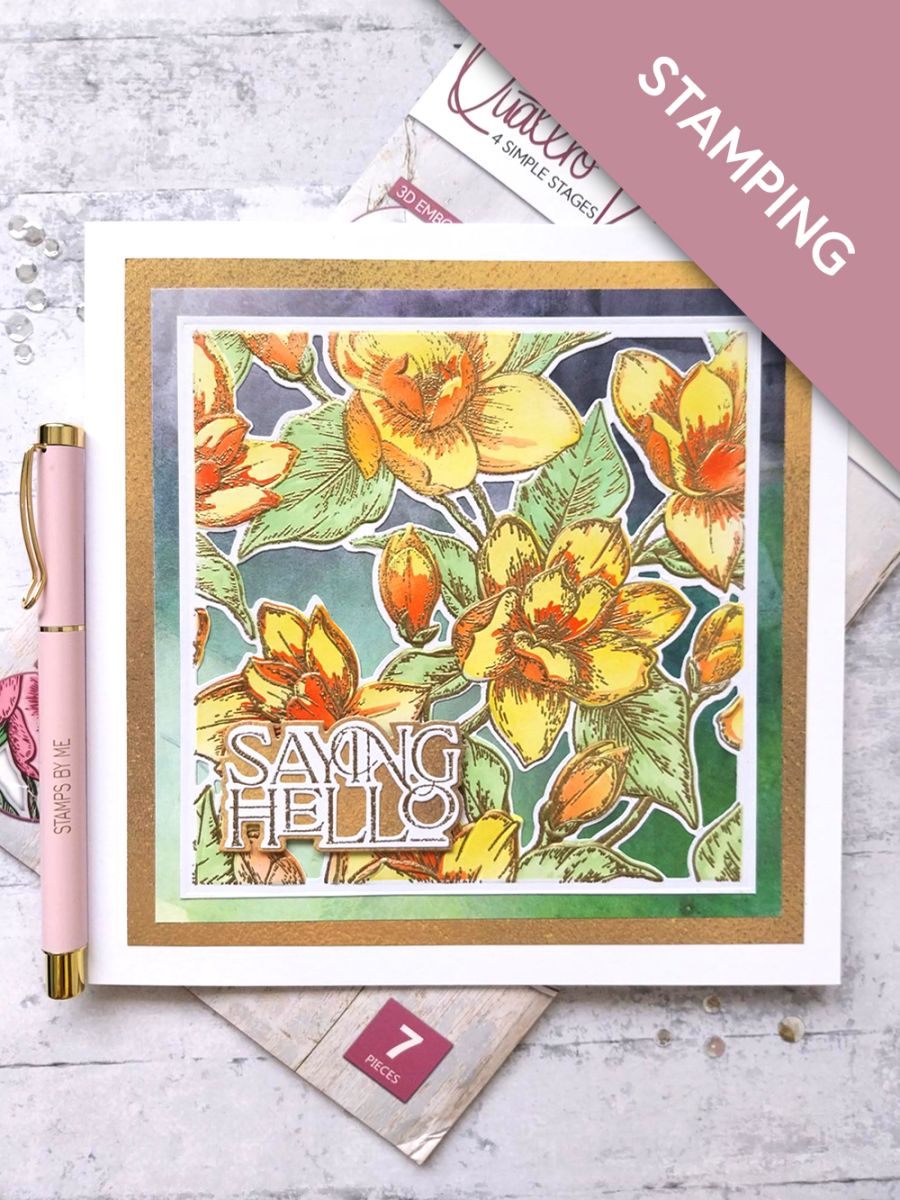
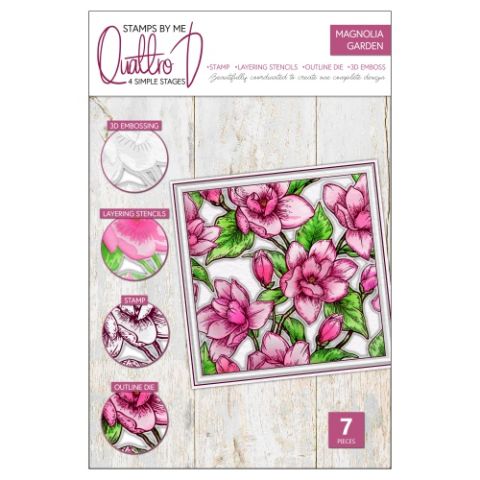
Magnolia Garden
How to guide · 10 steps

Magnolia Garden

24 May 2023✦ Toni DarrochDie CuttingEmbossing FoldersHeat EmbossingInk TechniquesStamping TechniquesStencils
10steps
1products to shop now
Step 1 of 10

Everything you need

0 of 19 ready· 1 to buy
Shop the list
From your craft stash
Tick what you have - this device remembers.

Step by step

tap a picture to see it big · tap DONE as you go - this device remembers
Step 1 of 10

Place stencil 1 from the Magnolia Garden Collection, on top of the 6" square white card and blend the Sherbet through the stencil, with your blending tool. 

Line up stencil 2 and blend with the Bittersweet. Having lined up stencil 3, lightly blend with the Limeade and finally apply Limeade but with more pressure, through stencil 4. 

Use your heat tool to thoroughly dry the ink, before proceeding to the next step. 
Step 2 of 10

Wipe your anti-static bag over your stencilled frame, before inking up the first stamp, from the Collection, with the WOW sticky embossing ink. Line up and stamp in position, then repeat with the second stamp. 

Cover your stamped image with the WOW Gold embossing powder, decanting any excess powder back in the tub. 

Get your heat tool hot before heat setting the powder. Move your heat tool as soon as the powder starts to turn, to avoid warping your card or burning the powder. 

Step 3 of 10

Trim your frame down to 5 1/2" square, before using the coordinating die to cut it out. 

Step 4 of 10

Line up your die cut frame, inside the coordinating embossing folder and run it through your machine. 

Step 5 of 10

Remove this decorative sheet, from the Watercolour Rainbow paper pack and trim to 6 x 6". 

Step 6 of 10

Remove this decorative paper, from the Sunshine In My Pocket Texture paper pack and trim to 6 1/2 " square. Set the remaining paper to one side. 

Step 7 of 10

Adhere your die cut frame on top of the watercolour rainbow paper and then on to the texure paper. 

Step 8 of 10

Adhere this to the front of your white card blank and set to one side. 

Step 9 of 10

Cut a piece of white card, big enough to stamp the Saying Hello sentiment on to. Wipe it over with your anti-static bag before inking up the stamp with the WOW sticky embossing ink. Apply the gold embossing powder and heat set as before. 

Place the coordinating die over your embossed sentiment and place on your die cutting plates. Place the layering sentiment die on the piece of the textured paper, set aside earlier and run both through your die cutting machine. 

Step 10 of 10

Adhere the die cut sentiment on to the die cut mat, then adhere with foam pads to the bottom left of your card. 

You made it!

Share your make with the Stamps By Me community - and keep this guide for next time.

More die cutting guides

all the guides ›

Prefer the previous layout? Open the old page.