

Step 1 of 12
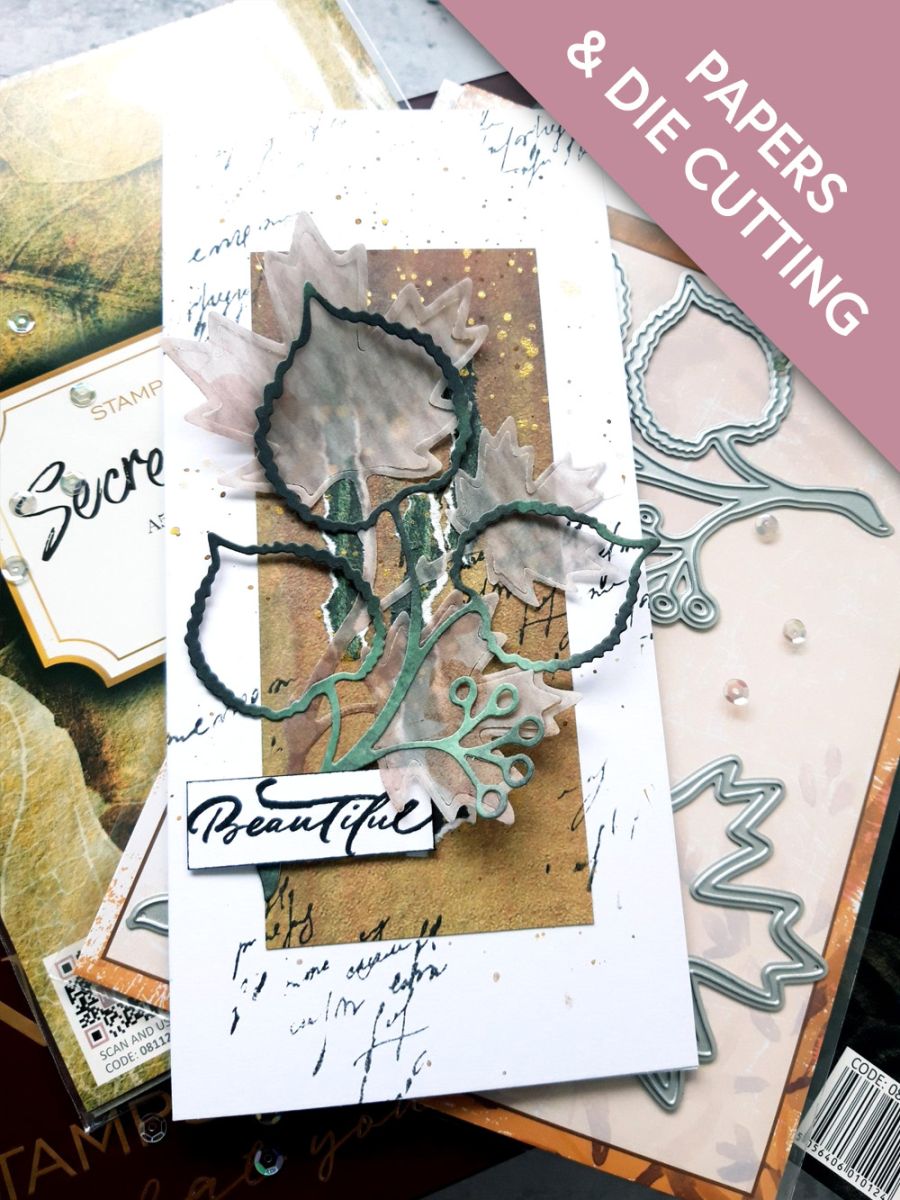
Remove this decorative sheet from the Secret Forest pack and trim to 5 3/4 x 2 1/2".








Prices change straight away. Every language is our own translation, not Google.
Remove this decorative sheet from the Secret Forest pack and trim to 5 3/4 x 2 1/2".
Adhere your decorative paper panel down the centre of your white, DL card blank.
Ink up a script or texture stamp, from your crafty stash, with the hybrid Midnight ink and stamp randomly on your card, ensuring you stamp some off the edges.
Choose a coordinating paper and tear 3 strips, as shown here.
Adhere to the paper panel.
Swirl the Pearlywinks Golden Shimmer Pearl Mist, to activate the mica. Spray a little on your glass mat, then splatter over your artwork with a paint brush.
Set to one side to dry.
Die cut the Lime from one of the decorative papers.
Die cut the Maple from one of the sheets out of the vellum pack.
Adhere the die cut Maple coming up, from the bottom left of your paper panel.
Adhere the die cut Lime, slightly offset from the Maple.
Set your card to one side.
Ink up the Beautiful sentiment stamp, from Love & Hope, with Midnight and stamp on to a piece of white card. Once the ink is dry, trim around it then go around the edges, with your Midnight ink pad.
Adhere with foam pads, bottom left of your 3D layout.
Share your make with the Stamps By Me community - and keep this guide for next time.
Prefer the previous layout? Open the old page.