

QUICK LINKS

info@howtocraftnetwork.com
We just got smarter - shop and watch with the SBM appGET THE APPWatch us live on your smart TVSEE HOWDiscover our dedicated IPTV channel - go to my-telly.comWATCHCollect loyalty points on every orderFIND OUT MORE
Welcome to the How to Craft Network
 
SBM SHOP
FOLLOW US
GIVE YOUR FRIENDS $10 OFF REFER A FRIEND › DISCOVER MY-TELLY.COM › WE JUST GOT SMARTER GET THE APP › AWARD WINNING CHANNEL ON YOUR TV › JOIN THE CLUB FOR SAVINGS ›
 
Just Because
How to guide · 13 steps

Just Because

12 October 2022✦ Toni DarrochDie CuttingStamping TechniquesStencilsStretch Your Supplies
13steps
1products to shop now
Step 1 of 13

Everything you need

0 of 18 ready· 1 to buy
Shop the list
From your craft stash
Tick what you have - this device remembers.

Step by step

tap a picture to see it big · tap DONE as you go - this device remembers
Step 1 of 13

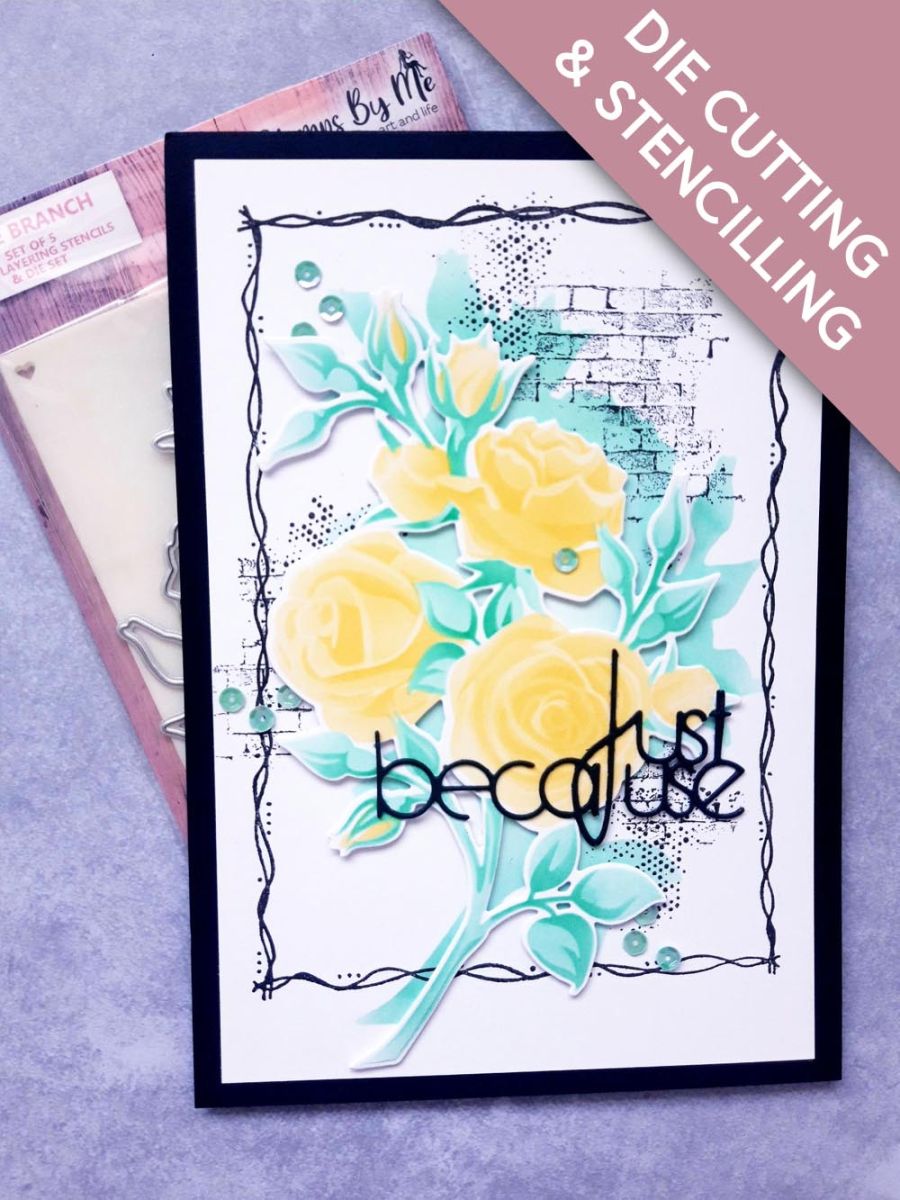
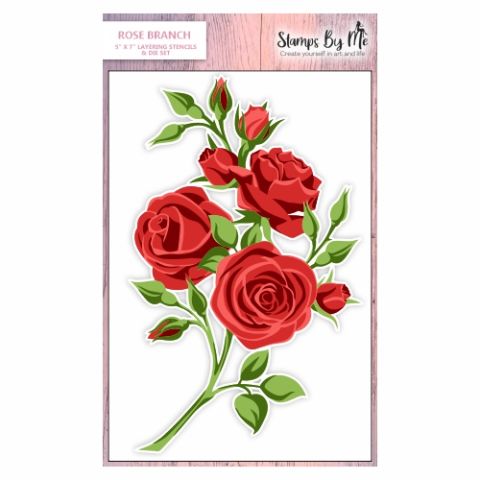
Place stencil 1, from the Rose Branch Collection, on to the white card (7 1/2 x 5"). 

Ink through the 4 corner hearts, as this will help you line up each stencil.

Using your blending tool, apply the Izink yellow Pigment lightly, through the stencil. 
Step 2 of 13

Place stencil 2 in place and reapply the yellow Izink, but this time with more pressure, to achieve a deeper tone. 

Step 3 of 13

Line up stencil 3 and blend lightly, with the dark green Pigment ink. 

Step 4 of 13

Place stencil 4 in position and apply the same ink, with more pressure. 

Remove the stencil and dry the ink, as Pigment ink is slow drying and you don't want it to smudge!

Step 5 of 13

Secure the coordinating die in place, with low tack tape and run it through your die cutting machine, ensuring you do NOT throw away the "waste" Rose aperture, as you will be using this as a stencil. .

Set you 3D Rose element to one side. 

Step 6 of 13

Place the Rose die cut aperture over the white card (7 3/4 x 5 1/4"). 

Use your blending tool to lightly apply the same green Pigment ink, within the aperture, fading out the colour as you move inwards. 

Dry the ink with your heat tool. 

Step 7 of 13

Ink up one of the frames stamps, from the Dot Frame Collection, with the Onyx Black Versafine. 

Stamp on to your stencilled background. 

Step 8 of 13

Ink up the brickwork stamp, from the Beautiful Notes Collection, with the Versafine and, holding it in your hand, stamp it randomly around your artwork. The idea is to create a distressed look rather than a crisp, clean image. 

Step 9 of 13

Repeat the previous step, this time using the texured dots stamp, from the same set. 

Step 10 of 13

Once dry, adhere your artwork on to your black, top folding card blank. 

Step 11 of 13

Adhere your 3D Rose element, with foam pads, on to your background, allowing the stencilled Rose to be visible, thus creating the effect of a dropped shadow. 

Set your card aside. 

Step 12 of 13

Die cut the Just Because, from the Kind Friends Die Collection, TWICE, out of the 4 x 4" black card.

Adhere one on top of the other, then adhere on to your card.  

Step 13 of 13

Finally, add sequins on, around and under your artwork. 

You made it!

Share your make with the Stamps By Me community - and keep this guide for next time.

More die cutting guides

all the guides ›

Prefer the previous layout? Open the old page.